Choose page size and orientation
Choose page size or orientation
For some books, no options are offered:

For other books, many options are offered:
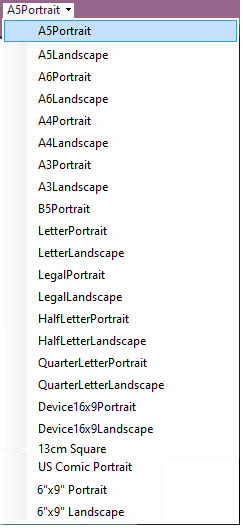
Bloom resizes and rearranges the page and its contents to fit the page size and orientation you chose. Some will not work if you want to print a folded booklet.
Important
- Some publishing options become unavailable when some page size and orientations are used.