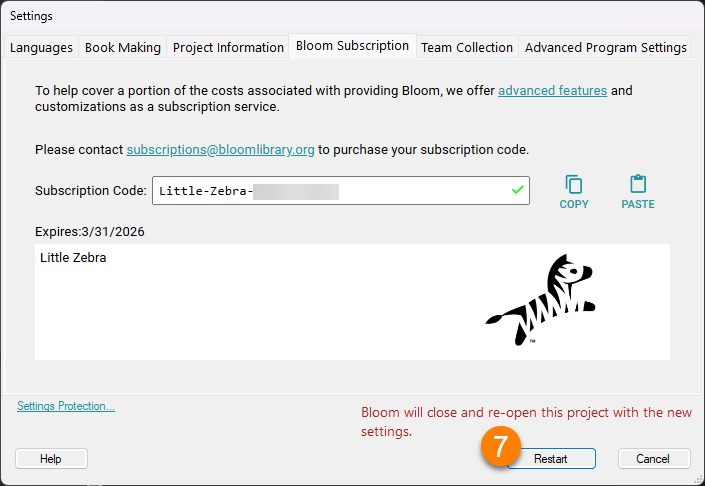
Enable Bloom Subscription
Follow these steps to enable a Bloom Subscription in Bloom Editor:
-
Go to the
Collectionstab. -
Click on
Settings:
-
Click on the
Bloom Subscriptiontab. -
Type in your
Subscription Codeor paste it in using the Paste button.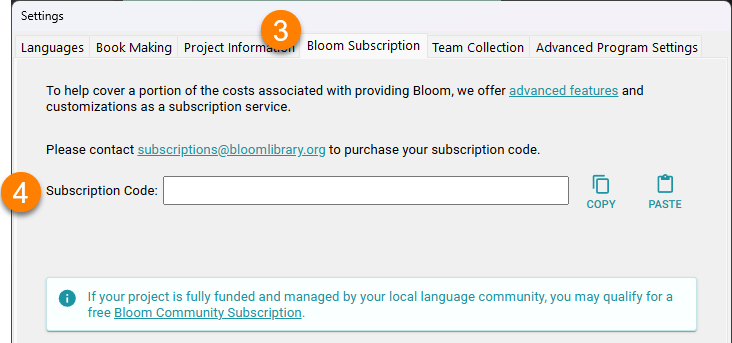
-
If the
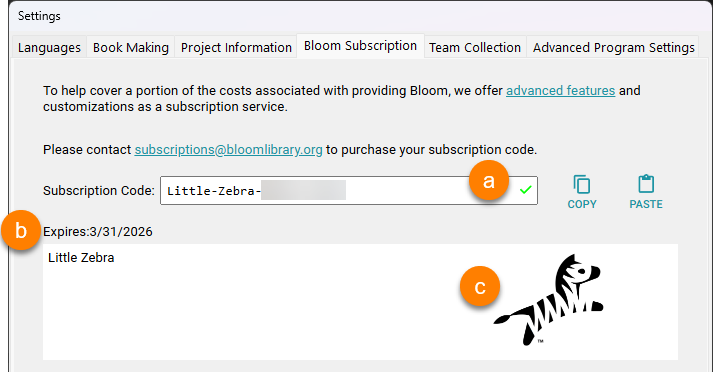
Subscription Codeis valid, you will see:-
A green checkmark next to the
Subscription Code. -
An expiration date and organization name.
-
A logo for your organization.
-
-
If the
Subscription Codeis not valid, you will see one of these messages:

- Try to copy/paste your
Subscription Code. - If you require further assistance, please don't hesitate to contact us.
- Try to copy/paste your
-
Click the
Restartbutton to restart Bloom with the new Enterprise settings: