When using Bloom Team Collections with Dropbox, two problems can occur:
Bloom detects that Dropbox is not running
Sometimes users of our Team Collections feature have a problem where Bloom detects that Dropbox isn’t functioning normally. Dropbox is a program that Bloom uses to enable multiple users to share a collection over the Internet.
This situation could be due to a number of issues:
-
Dropbox was never setup on this computer
To check to see if Dropbox is already set up on this computer you can try the following:
-
Type “dropbox” in your Search bar.
-
If you see the Dropbox App on the left side as in the picture below, then Dropbox has been installed.
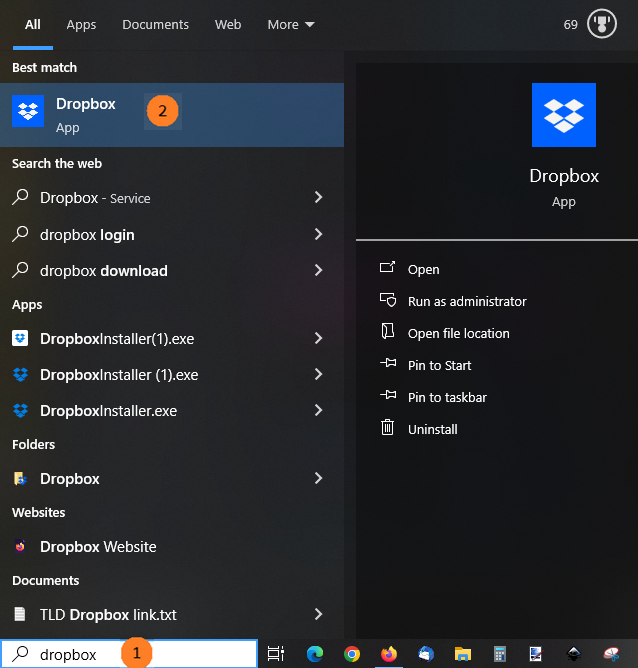
- If you don’t see Dropbox, you’ll need to install it first. See Setting up Dropbox on your computer.
-
-
Some part of Dropbox isn’t running
-
First try restarting your computer. This will usually fix the problem.
-
If Bloom still gives you the error that brought you to this page, you may need to restart the Dropbox service.
-
Type “services” in your Search bar and choose the Services app.
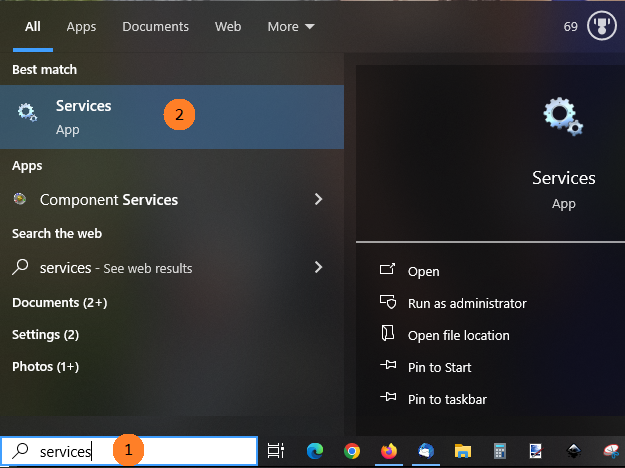
-
You should see something similar to this:
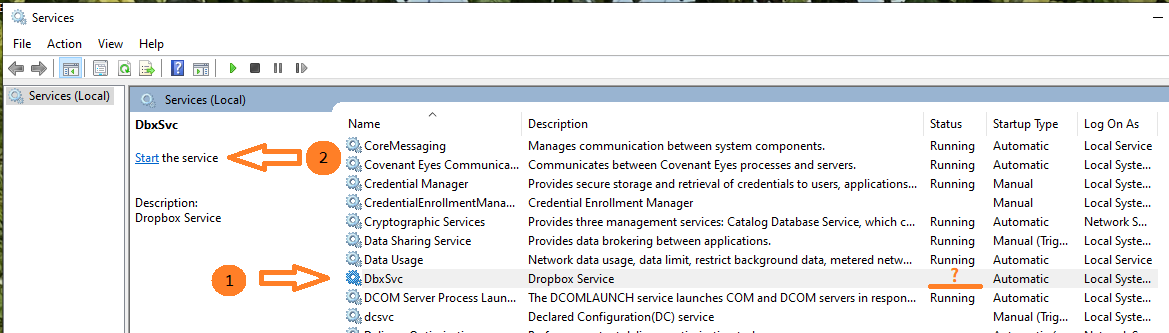
If you find “DbxSvc” under the Name column (1), and it does not say “Running” under the Status column, then you should click on the word “Start” in “Start the service” (2).
If you still cannot get Bloom to work with Dropbox, please get in contact with us ([email protected]).
-
Dropbox cannot handle the book’s Unicode title
If the title of your book has an unusual combination of Unicode characters, Dropbox may have difficulty synching these files to the cloud. Under the Activity tab, your Dropbox app will show a message like this:
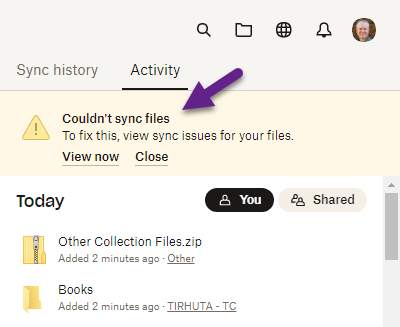
If this occurs, the solution is to rename the book without renaming its title. To rename a book, right-click on the book’s thumbnail, and choose rename:
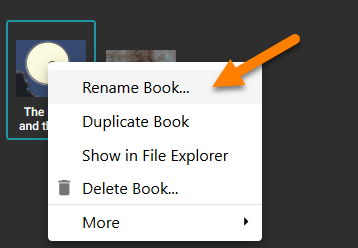
Then, type in a simplified name for your book and press Enter.
-