Change User Interface language
Change User Interface language
-
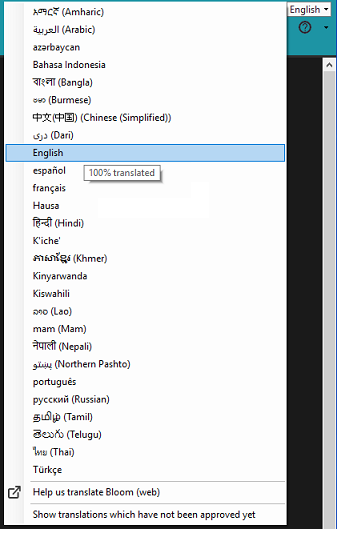
In any of the tabs, click the UI language control on the toolbar and then click the language you want in the drop-down list.
-
If the language you want is not listed, do any of these options:
-
Select (
 ) Show translations which have not been approved yet if you need to see or use an unapproved UI language.
 -
Click
 Help us Translate Bloom to open https://crowdin.com/project/sil-bloom in the Internet.
-
Tip
-
Here is an example of the UI language control with the drop-down list displayed.